
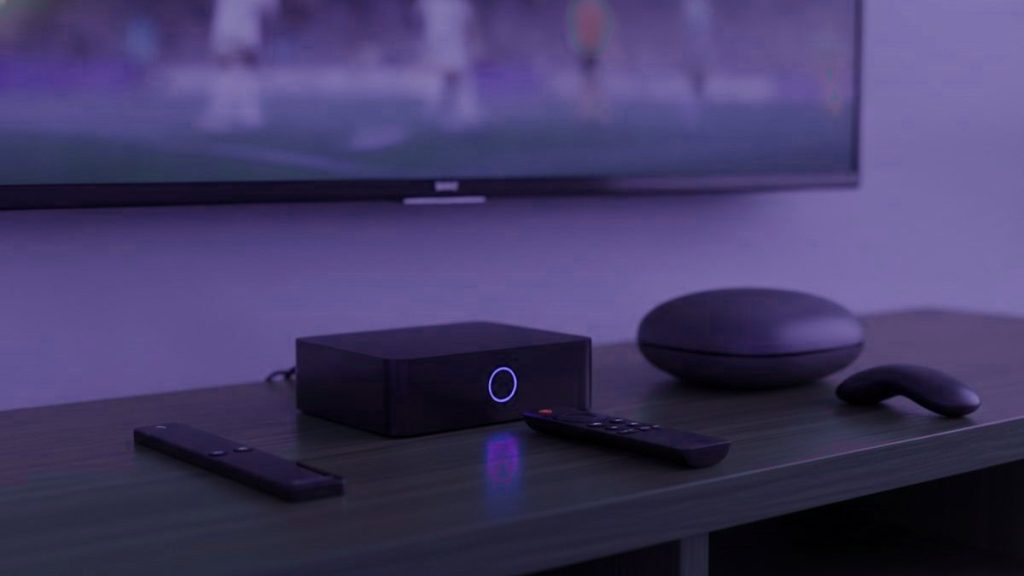
Here is the twist most buying guides bury: the great majority of people need no IPTV box at all, and the handful who genuinely do are better off with a $40 stick than a $180 specialist unit. Before any money leaves your account, take stock of what is already wired up in the living room. A smart telly from the last few years, a streaming stick gathering dust, or a laptop will each have you watching this evening at no cost. Choosing hardware is the final step, not the first.
In brief
Begin with what is already in the house. If a purchase really is needed, a Fire TV Stick 4K at $30 to $50 handles almost every household. Only go beyond that for a main telly in daily use, or when you want a remote and guide that behave like a proper set-top box.
Take stock of what is already wired up
- A Samsung or LG set from 2016 or later. Each has players in its own store, so no extra kit is needed whatsoever.
- A Fire TV Stick or Android TV gadget you own already. It is ready as it stands; it only wants a player added.
- A phone, tablet or laptop. Ideal for trying the service out before you part with anything.
- An Apple TV. Pulls IPTV Smarters Player straight from the tvOS store.
Put the free trial on whatever is already to hand. Settle whether the service is a keeper first, and let that decide the hardware afterwards. Go about it back to front and you end up with a drawer of half-used boxes.
The choices, in dollars
| Device | Price | TiviMate? | The verdict |
|---|---|---|---|
| Fire TV Stick 4K / 4K Max | $30 – $50 | Yes, by sideloading | The right answer for most households |
| Google TV Streamer | $90 – $100 | Yes, from the Play Store | Neater to set up, nothing to sideload |
| Generic Android box | $40 – $90 | Generally | Hit and miss. Hold out for 2 GB RAM or more |
| Nvidia Shield | $150 – $200 | Yes | Nothing faster exists. Well beyond what most need |
| Formuler Z11 | $140 – $180 | Yes, with MyTVOnline | The choice for the keen |
| MAG 5xx | $120 – $160 | No, portal-driven | Plain, steady, set-top-box familiar |
| Roku | $30 – $100 | No | Steer clear for IPTV |
The case for the Fire TV Stick in most British homes
It is cheaper than a single month of a sports package, takes 4K in its stride, and Amazon slashes the price repeatedly through the year around the various sales. The only catch is that TiviMate is not stocked in Amazon’s store, so you bring it in yourself through the Downloader app. That is a five-minute job, and the Firestick guide spells out each screen you will pass through.
Give the cheaper non-4K Lite a miss unless funds are really tight, because it stops at 1080p, and paying for Ultra HD feeds you cannot then display rather misses the point.
What the dearer boxes hand you
A Formuler or MAG runs three to five times the price of a stick, so the obvious question is what that premium delivers.
A remote built for the job. Real buttons for the channel list, the guide and your favourites, rather than a streaming remote with a spare key pressed into service. On a telly you use every day this outweighs anything on the spec sheet.
Nothing to sideload. A MAG works off a portal bound to the box itself, so there is never anything to install, patch or tinker with. For a household that just wants it to behave like the Sky box it replaced, that is the whole draw.
A snappier guide. Purpose-built hardware repaints a long channel list quicker than a stick asked to do the same. That is money well spent in the lounge and wasted in a spare room. The MAG and Formuler guide covers setting either up.
Why Roku is the wrong pick for IPTV
Roku boxes are genuinely fine for the mainstream apps, so assuming they will cope with IPTV too is a fair guess, but they refuse sideloading and their store stocks hardly any of the serious players. There is no TiviMate on it at all. You are left with a meagre handful of apps plus casting a phone to the screen, which functions but makes for a grim day-to-day setup. Already own one? The Roku guide lays out the two approaches that do work. Shopping fresh? Put your money elsewhere.
Choosing a generic Android box you will not regret
The budget boxes on Amazon and the marketplaces vary wildly. If you take that route, refuse to settle for less than these.
- At least 2 GB of RAM, 4 for preference. Any less and a long channel list drags.
- Proper certified Android TV, not a phone build dressed up, so the Play Store serves real TV apps.
- A socket for an Ethernet cable. Wired trumps wireless for live streams, every time.
- A brand you have heard of. The no-name boxes often carry tweaked firmware from who-knows-where.
- Pay no attention to core counts. Four quick cores beat eight sluggish ones, and the listings fib about this constantly.
The $12 fix that outdoes any new box
When buffering is the real gripe, a fresh box is usually the wrong answer. A cheap Ethernet adapter settles more streaming trouble than any amount of extra processing power, because the stutter is nearly always the network rather than the chip. Wireless late on a Sunday, in a room at the far end of the house from the router, while half the street streams at once, is exactly the moment live telly gives out. Try the cable first, before you drop $180 on a box that will hit the very same limit.
Where to buy, and what to swerve
Stick to the high-street names and their websites. Amazon carries the Fire TV Stick range and drops the price hard around its sale events, Argos and Currys stock the sticks and the Google TV Streamer, and the specialist boxes such as Formuler come from established resellers who honour a warranty. Buying from a shop with a returns desk matters more than it sounds, because a streaming box that dies in month two is only a bargain if you can send it back.
Treat the marketplace listings with real caution. A box advertised as “loaded” or “ready to go”, or one bundled with a year of channels for a suspiciously round price, is exactly what the last section of this guide warns against. So is any seller who cannot tell you the RAM or whether there is an Ethernet port. If a listing dodges the plain questions, it is answering the important one.
What we would buy
To begin with, nothing. Try it on what you already own. After that, a Fire TV Stick 4K, with an Ethernet adapter if the telly is old or sluggish, which is about $50 together and settles the large majority of situations. A Formuler or MAG only for a main telly you watch daily and want feeling like a set-top box.
Every device here works with an Orca4KTV account, handed over as a plain Xtream Codes login. Step-by-step instructions for each sit in the setup hub, and the plans are on the pricing page.
Frequently asked questions
What is the best IPTV box?
For most people the Amazon Fire TV Stick 4K at $30 to $50: it runs every IPTV app, handles 4K and is quick to set up, and Amazon discounts it often. For daily viewers who want a purpose-built player and remote, the Formuler Z11 at $140 to $180. For the fastest Android TV hardware, the Nvidia Shield, though it is overkill for most homes.
What is the best budget option?
The Fire TV Stick 4K is hard to beat on value, especially in the Amazon sales, and it runs TiviMate once sideloaded through the Downloader app. If you would rather avoid sideloading, the Google TV Streamer installs TiviMate straight from the Play Store, though it costs more. Whatever you choose, insist on 4K rather than a 1080p-capped Lite model.
How much does an IPTV box cost?
From about $30 to $50 for a Fire TV Stick 4K, through $90 to $100 for a Google TV Streamer, up to $120 to $180 for a MAG or a Formuler Z11. A generic Android box sits at $40 to $90. The subscription that supplies the channels is separate, from $15 a month or roughly $5.75 a month on a yearly plan.
Is the Formuler Z11 worth it?
If you watch IPTV every day, yes. Its built-in MyTVOnline player, dedicated remote buttons and Ethernet make it the smoothest dedicated box for a main telly. If you only watch a few evenings a week, a Fire TV Stick 4K gives you most of the experience for a fraction of the price, so save the money.
Do I need a box at all?
No. A Samsung or LG smart telly made since 2016, an Android TV, an Apple TV, a phone or a laptop will all run IPTV apps directly. A box is worth adding when the telly is older, when you want TiviMate on a set that is not Android, or when you want a wired Ethernet connection and a better remote.
Should I buy a fully loaded box?
No. Boxes sold with IPTV apps and a lifetime subscription already installed usually stop working within weeks, often run modified apps, and some have shipped with malware. Buy a clean device from a normal retailer such as Amazon, Argos or Currys, install the apps yourself, and add a subscription from a provider with a website, a trial and a refund policy.
Fancy your own login to 25,000+ channels?
Message us on WhatsApp and you are watching in under 15 minutes, with a 7-day money-back guarantee if it is not for you.
Related articles
IPTV vs Sky, TNT Sports and Virgin in the UK: The Real Cost
Quick answer: For most UK households, IPTV is far cheaper than Sky, TNT Sports and Virgin Media, because one plan replaces a…
15 October 2026How to Watch the GAA in Ireland in 2026
Quick answer: To watch the GAA in Ireland in 2026, use a 4K IPTV service that carries the Irish channels showing Gaelic…
15 October 2026How to Watch Darts and Snooker in 2026
Quick answer: To watch darts and snooker in 2026, use a 4K IPTV service that carries the UK channels showing the PDC…