
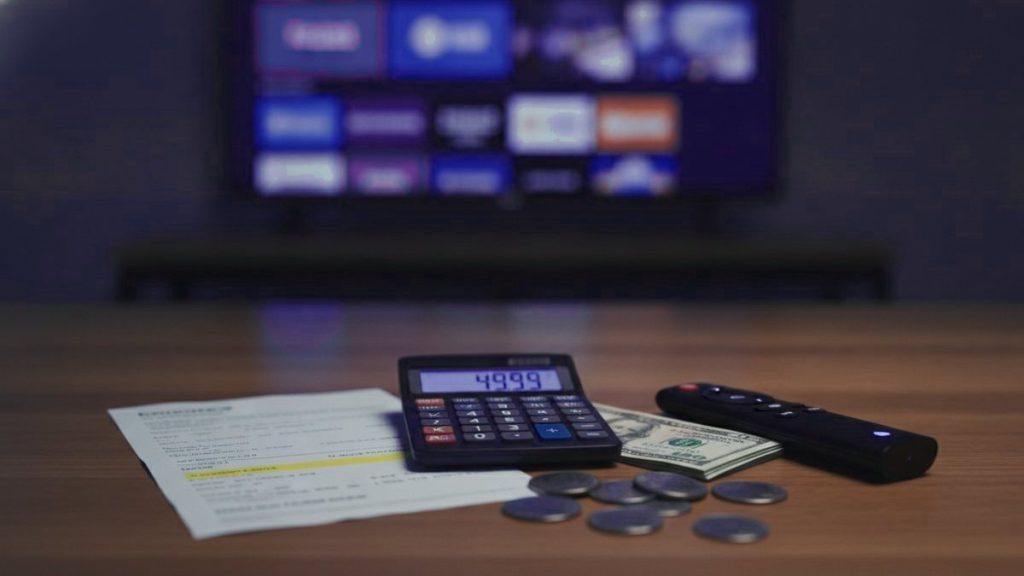
Reckon on roughly $15 for a month on one screen, or $69 for a full year, which comes down to about $5.75 a month once the annual saving is spread out. Anything far cheaper tends to be a reseller account living on borrowed time; anything far dearer is paying for someone’s advertising rather than their kit. What follows is the detail behind those figures, in dollars, with our own numbers on the table instead of tucked behind a “message us for a quote”.
The quick answer
One month on a single device lands at $15. Twelve months lands at $69, the tier where most subscribers settle because paying once shaves the monthly figure down sharply. Even so, the month is the right thing to buy first.
Our prices, in the open
Rather than wave vaguely at “market rates”, here is exactly what Orca4KTV charges. The line-up, the 120,000+ on-demand titles and the picture quality are the same on every card; the two dials that move are how long the term runs and how many screens can watch at the same moment.
| Term | 1 device | 2 devices | 3 devices | 5 devices |
|---|---|---|---|---|
| 1 month | $15 | $25 | $35 | $49 |
| 3 months | $29 | $49 | $65 | $99 |
| 6 months | $45 | $75 | $99 | $149 |
| 12 months | $69 | $119 | $159 | $239 |
The whole grid lives on the pricing page. For a typical household the two-screen tier is the natural choice, since it covers the main telly and one other room without a squabble over who gets to watch. Whichever you pick, the number is printed rather than whispered.
Why twelve months works out so cheap
The size of the annual discount can look almost too good, so it is fair to show where it genuinely comes from. Paying once a year instead of every month strips out three real costs.
Card fees. Every payment carries a processing charge, and against a $15 sale that charge eats a noticeable part of the margin. Billing once rather than twelve times removes eleven of those bites.
The first-week effort. Nearly all the help a subscriber ever needs comes in their opening days: getting the player on, keying in the login, watching the guide populate. Someone on an annual plan needs that hand-holding once a year, not month after month.
Steadiness. People on rolling monthly plans come and go on no particular schedule, which makes it hard to size servers sensibly. A yearly subscriber is a fixed, predictable load, and predictable load is cheaper to carry, so some of that saving comes back to you.
That still does not make a year the sensible opening move. Commit to it once you have proven the service, not on day one.
Why $20 a year is not a bargain
There is always a stall selling a whole year for $20 or so, and it is worth being precise about it rather than shouting “scam”. Most of these are resellers buying stream credits by the bucket and pricing under cost simply to move numbers. On the day of purchase, the account does log in and play.
The trouble arrives later. Because the servers are packed far past what they can carry, the picture caves in the instant a big match starts. There is nobody to ask for help, since help was never costed in. And the day the supplier upstream shuts the reseller down, every login they ever sold goes dark together, with no one left to chase. Kit, bandwidth and people cost what they cost, and a price that ignores that floor is telling you something about how long the operation expects to last.
The extras, which are usually nothing
The subscription is not quite the whole bill, but the add-ons are small, one-off and, for most people, unnecessary because they already own something suitable.
| Item | One-off cost | Worth it? |
|---|---|---|
| A device you already have | $0 | Begin here. A post-2016 smart telly, a phone or a laptop all do the job |
| Fire TV Stick 4K | $30 – $50 | A tidy upgrade for an ageing set, and regularly reduced at Amazon |
| Android TV box | $40 – $90 | Handier, and happy running TiviMate |
| MAG or Formuler | $120 – $180 | Reserve it for a main telly in daily use |
| Ethernet adapter | $10 – $15 | Steadies the picture more than any pricier purchase |
Given one purchase to make, spend it on the little Ethernet adapter, not a beefier box. The stutter people blame on hardware is nearly always the home network struggling instead.
The player itself is free, and it catches people out that they budget for it at all. IPTV Smarters Pro costs nothing on any platform. TiviMate has a free version, with a Premium tier at around $8 a year or a one-off licence near $30. Smart IPTV takes a modest single payment per telly. Add it up and the software bill is tiny, and not a penny of it lands with your provider. One point earns repeating, because it trips up more newcomers than anything else: an app arrives empty and shows nothing until your login is entered. Which player suits which screen is covered in our guide to the player apps.
Line it up against a Sky bill
The figure that tends to change minds is not how many channels you get, it is the yearly total. Here is a realistic first twelve months with us.
| Item | Cost |
|---|---|
| Twelve months, one device | $69 |
| Fire TV Stick 4K | $40 |
| Ethernet adapter | $12 |
| First-year total | $121 |
| Every year after | $69 |
A Sky bundle carrying the sports channels, or Sky with a TNT Sports add-on, will usually sail past $121 within two months, and that is before a streaming subscription or two gets stacked on top. It is that yearly gap, not the length of the channel list, that does the persuading.
Is it money well spent?
Very likely yes if your week revolves around live sport spread across different broadcasters, if you want channels from another country that nothing here carries, or if you are clinging to a pricey telly package for the sake of a few channels.
Probably not if your viewing is almost entirely on-demand box sets, in which case one of the big streaming apps does the job with less fuss. This technology earns its keep on live telly, and paying for reach you never touch is a poor deal at any price.
Spending without regret
- Take a month first, no matter how good the yearly figure looks on the card.
- Run the free trial when the servers are busiest. A packed Saturday night reveals what a quiet weekday morning hides.
- Keep card details out of any chat window, whether you are talking to us or to anyone else.
- Check the refund terms first. Ours give you seven days.
- Distrust the ticking clock. A genuine service will still be here tomorrow, at the same price.
Frequently asked questions
How much is IPTV per month in the UK?
A single month on one device is $15 on Orca4KTV, with two devices at $25, three at $35 and five at $49. Paying for a year instead drops the effective cost to roughly $5.75 a month on one device. The month is the sensible first purchase; the year is what you move to once you have tested it.
How much does a year cost?
On Orca4KTV a twelve-month plan is $69 for one device, $119 for two, $159 for three and $239 for five simultaneous streams. Every plan opens the same 25,000+ channels and 120,000+ on-demand titles; only the length and the number of screens change. The full list is on the pricing page.
What about more than one device?
Pricing is by simultaneous streams rather than installed apps, so your login still sets up on every device you own; the plan just limits how many can watch different things at once. Most households want the two-device tier, which covers the main telly plus a second screen. A yearly two-device plan is $119, and five devices is $239.
Is a lifetime subscription worth it?
No. A lifetime plan only pays off for the seller if the service vanishes before it pays off for you, and nobody can promise permanent access to channels they do not own. Reputable providers sell twelve months at most. Treat a lifetime offer as a warning sign rather than a bargain, however tempting the one-off price looks.
Are there hidden costs?
Not from us: there is no activation, setup or maintenance fee, and support on WhatsApp is included. The only possible extras are one-off and optional, such as a Fire TV Stick at $30 to $50 if you do not already own a device, or TiviMate Premium at about $8 a year. The player app itself is free, and none of that reaches your provider.
How does it compare to Sky or Virgin?
A Sky package with the sports channels, or Sky plus a TNT Sports add-on, typically runs well over $60 a month once box rental is included. A yearly Orca4KTV plan is $69 for the whole year on one device, or $239 for five screens. The gap over a year, rather than the channel count, is what actually persuades households to switch.
Fancy your own login to 25,000+ channels?
Message us on WhatsApp and you are watching in under 15 minutes, with a 7-day money-back guarantee if it is not for you.
Related articles
IPTV vs Sky, TNT Sports and Virgin in the UK: The Real Cost
Quick answer: For most UK households, IPTV is far cheaper than Sky, TNT Sports and Virgin Media, because one plan replaces a…
15 October 2026How to Watch the GAA in Ireland in 2026
Quick answer: To watch the GAA in Ireland in 2026, use a 4K IPTV service that carries the Irish channels showing Gaelic…
15 October 2026How to Watch Darts and Snooker in 2026
Quick answer: To watch darts and snooker in 2026, use a 4K IPTV service that carries the UK channels showing the PDC…